Dieline generator · SVG, PDF and DXF · no sign-up
Straight tuck end dieline generator
A straight tuck end (STE) dieline has both lids hinged on the back panel, so both tuck flaps close from back to front and the front panel stays uninterrupted. Enter the inside length, width and depth, pick the board in points, and this generator draws the dieline with bleed and safe lines; download it as SVG, PDF or DXF in your browser.
- Cut
- Fold
- Bleed 1/8 in
- Safe zone 1/8 in
Next step
Want these boxes printed?
Your style and size go into the quote form. We reply by email with the price and a digital proof on the production dieline, with a free digital design and dieline.
Standard sizes
Common straight tuck end sizes
Inside sizes in inches. Open one in the generator, or download a ready-made file where one exists.
| Inside size (L x W x D) | Listed price | Dieline |
|---|---|---|
| 2 x 2 x 6 in | quote | Open in generator · SVG · PDF |
| 3 x 3 x 7 in | $5.59 for 1 piece | Open in generator · SVG · PDF |
| 4 x 4 x 4 in | quote | Open in generator · SVG · PDF |
| 1.5 x 1.5 x 4.5 in | quote | Open in generator · SVG · PDF |
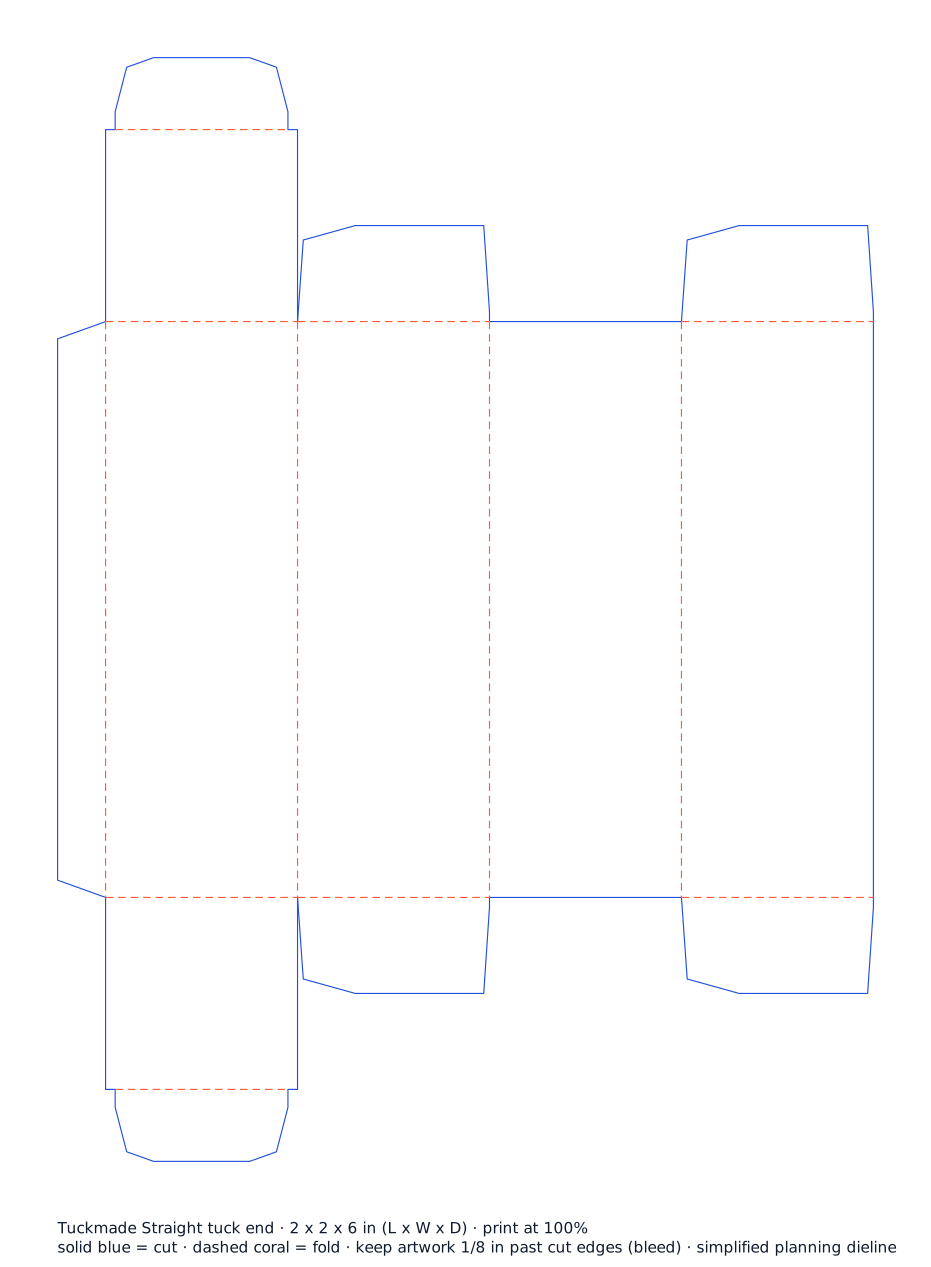
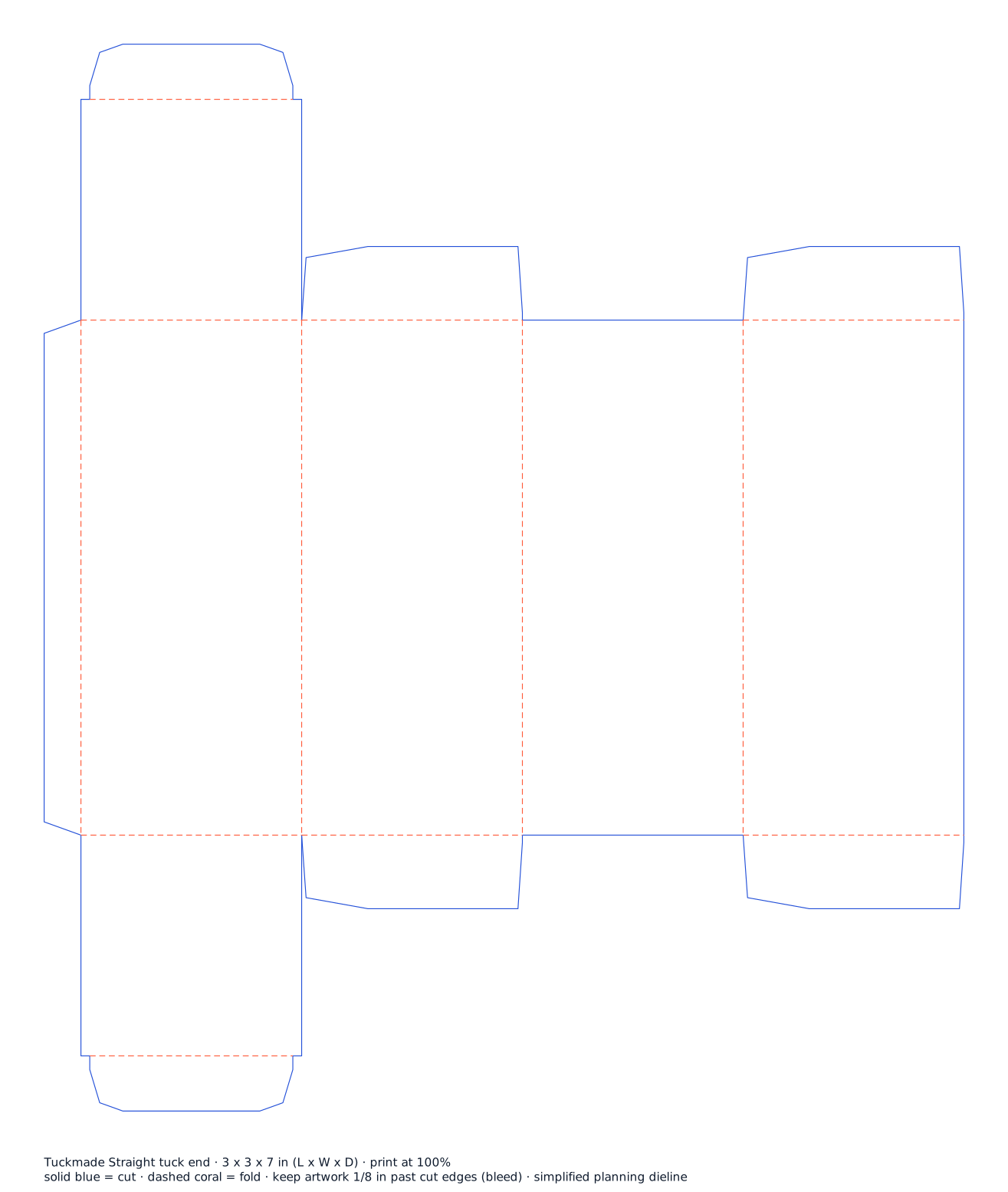
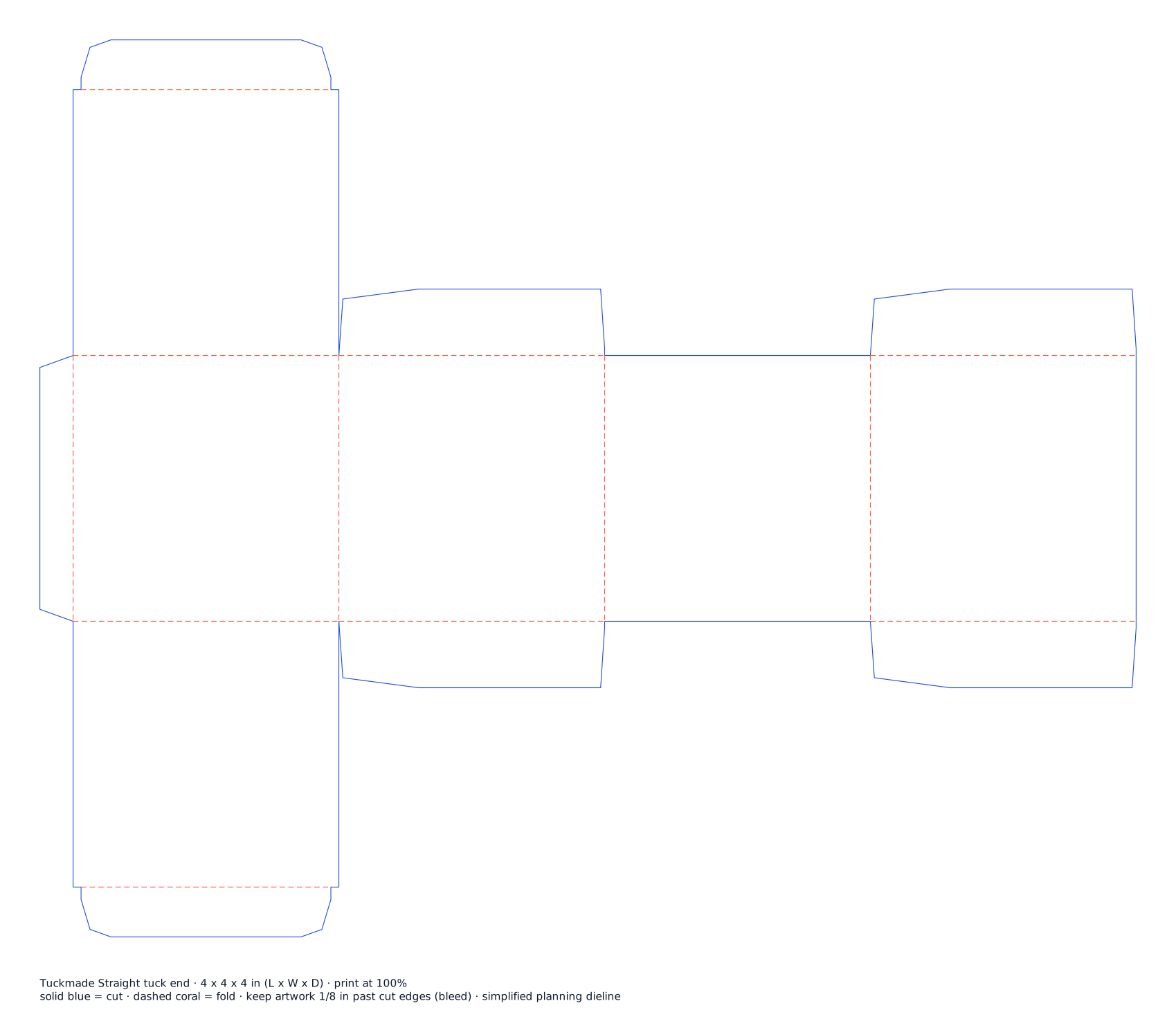
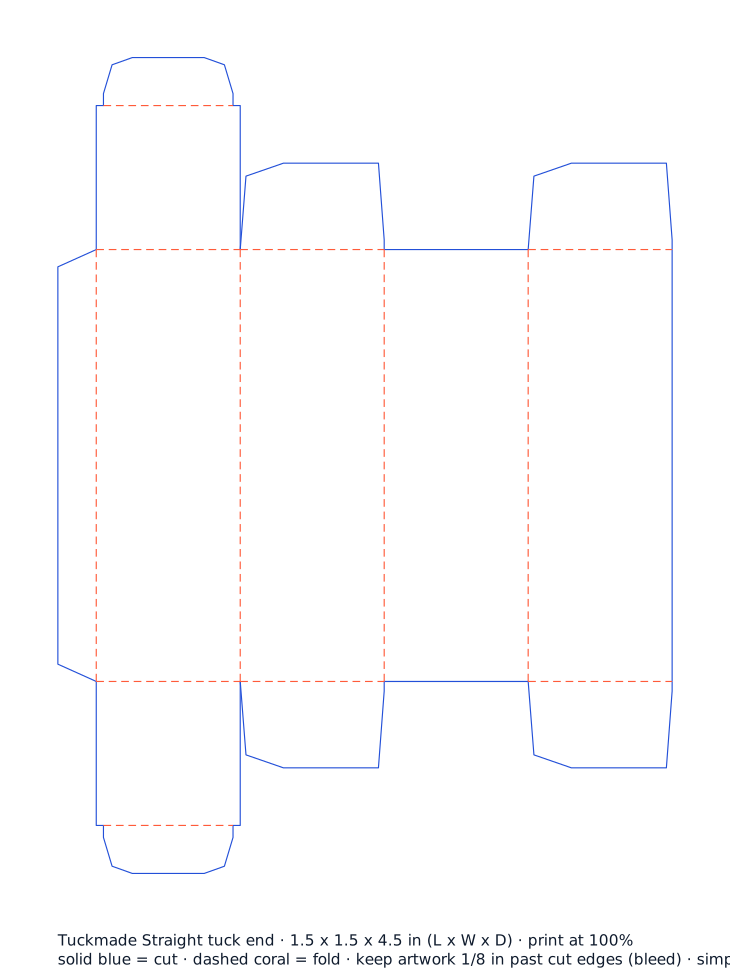
Listed prices are the starting price for exactly the size, board, print and quantity on the straight tuck end page; any change, or a custom size, is priced in your custom quote. Shipping is quoted separately.
How do you make a tuck box dieline?
- Pick the tuck style. Choose the style: reverse or straight tuck end, auto bottom, snap lock bottom, hang tab or tuck front mailer.
- Enter the inside size. Type the inside length, width and depth of the carton in inches or millimetres. Length is the front panel, width the side panel.
- Choose the board. Pick the board thickness in points (18pt is the everyday carton) or E-flute for a mailer. Allowances for the board are added for you.
- Check the preview. The dieline redraws as you type: cut lines in blue, folds dashed in coral, bleed and safe zone shown, with the flat size.
- Download SVG, PDF or DXF. Download a true-size SVG or PDF for artwork, or a DXF with cut and fold layers for a cutting table or drafting software.
- Get it printed. Use the quote button: your style and size go into the form, and we reply with the price and a digital proof on the production dieline.
About the straight tuck end
Top and bottom tuck flaps both close from the front to the back, so the front panel is uninterrupted. Best for shelf boxes where the front panel carries the design; window and hang-tab builds; light products up to about 1 lb (estimate).
See sizes, boards and prices on the straight tuck end page, or compare reverse vs straight tuck end.
Dieline questions
Is the dieline generator really without cost or sign-up?
Yes. The generator runs in your browser with no account and no email. Nothing is uploaded: the SVG, PDF and DXF files are made on your device. Every order also gets a free digital design and dieline for the exact size, so the production dieline comes with your proof.
What do the lines on the dieline mean?
Solid blue lines are cuts, dashed coral lines are folds (creases), the light blue band is the 1/8 in bleed and the dotted green line is the 1/8 in safe zone. The grey area is the glue flap. Keep text inside the safe zone and run background colour into the bleed.
Is the size inside or outside?
Inside. Enter the space your product needs (length x width x depth). The generator adds allowances for the board thickness to the panels, so the flat size printed under the preview is the cut size for that board.
Which file should I download?
SVG opens in Illustrator, Inkscape, Affinity and Figma with cut, fold, bleed and safe layers. PDF prints at actual size for a paper mock-up. DXF holds only the cut and fold lines for a cutting table, drafting software or a sample maker.
Can I use this dieline for production?
Use it for artwork layout and a folded paper test. The flap shapes and allowances are rules of thumb; the production dieline for your size and board is checked by us and sent with your digital proof before anything prints.
Which tuck style should I pick?
Reverse tuck end is the everyday default. Choose straight tuck end when the front must stay clean, auto bottom or snap lock for heavier products, hang tab for peg hooks and the tuck front mailer when the box ships on its own.